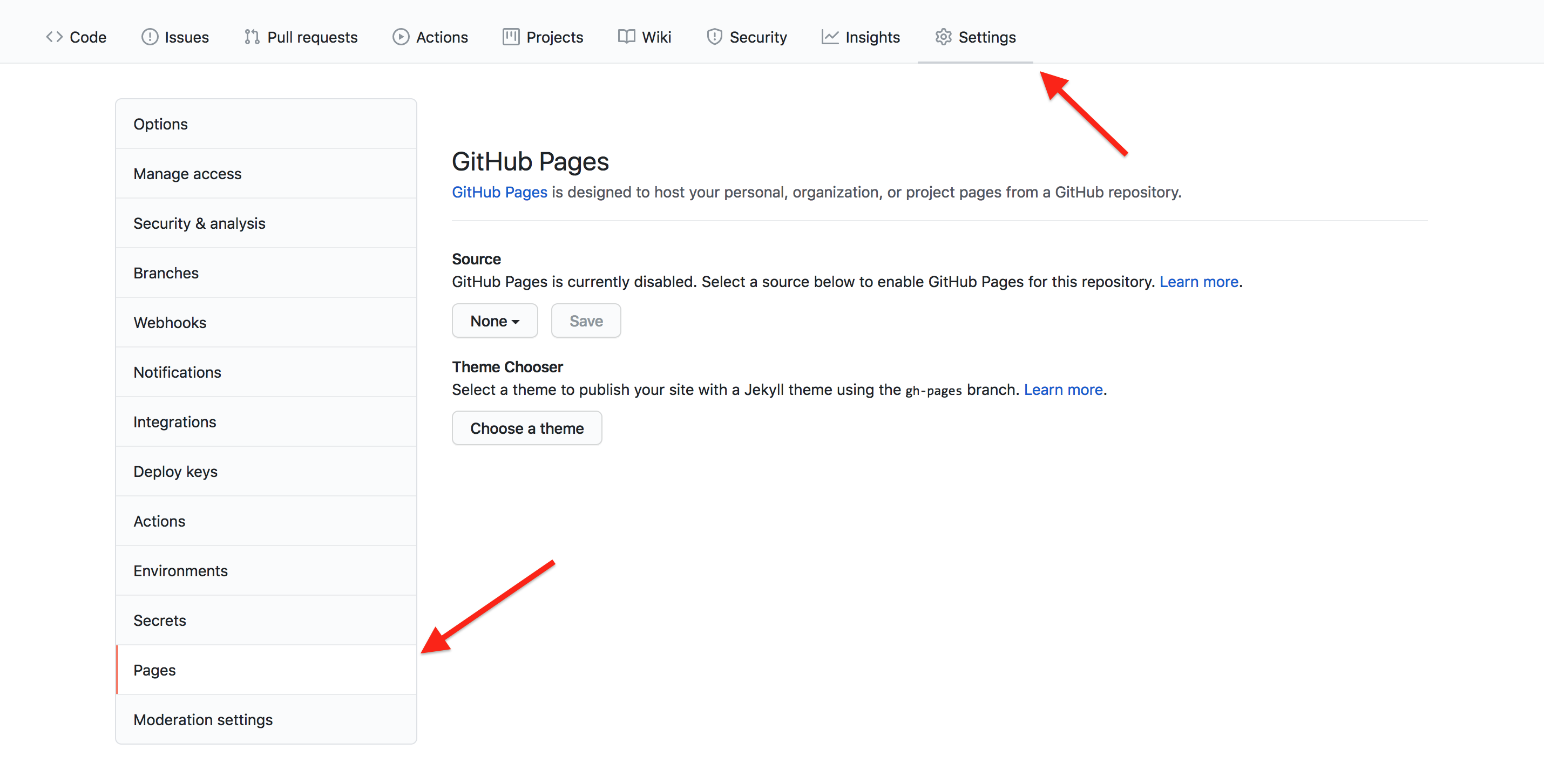
Image 1 of 1: ‘GitHub repository's Pages settings’
Figure 2
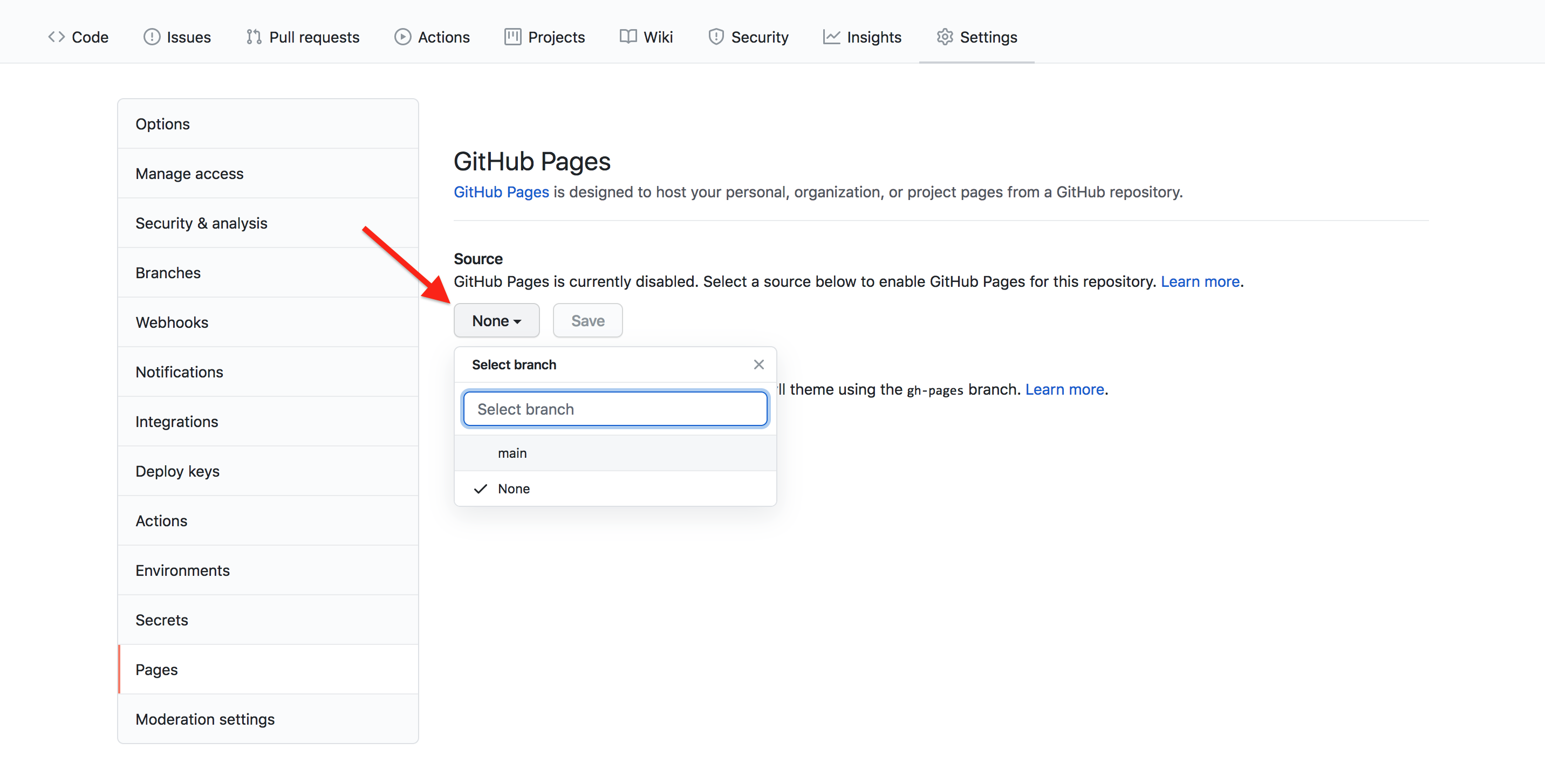
Image 1 of 1: ‘GitHub Pages source branch menu’
Figure 3
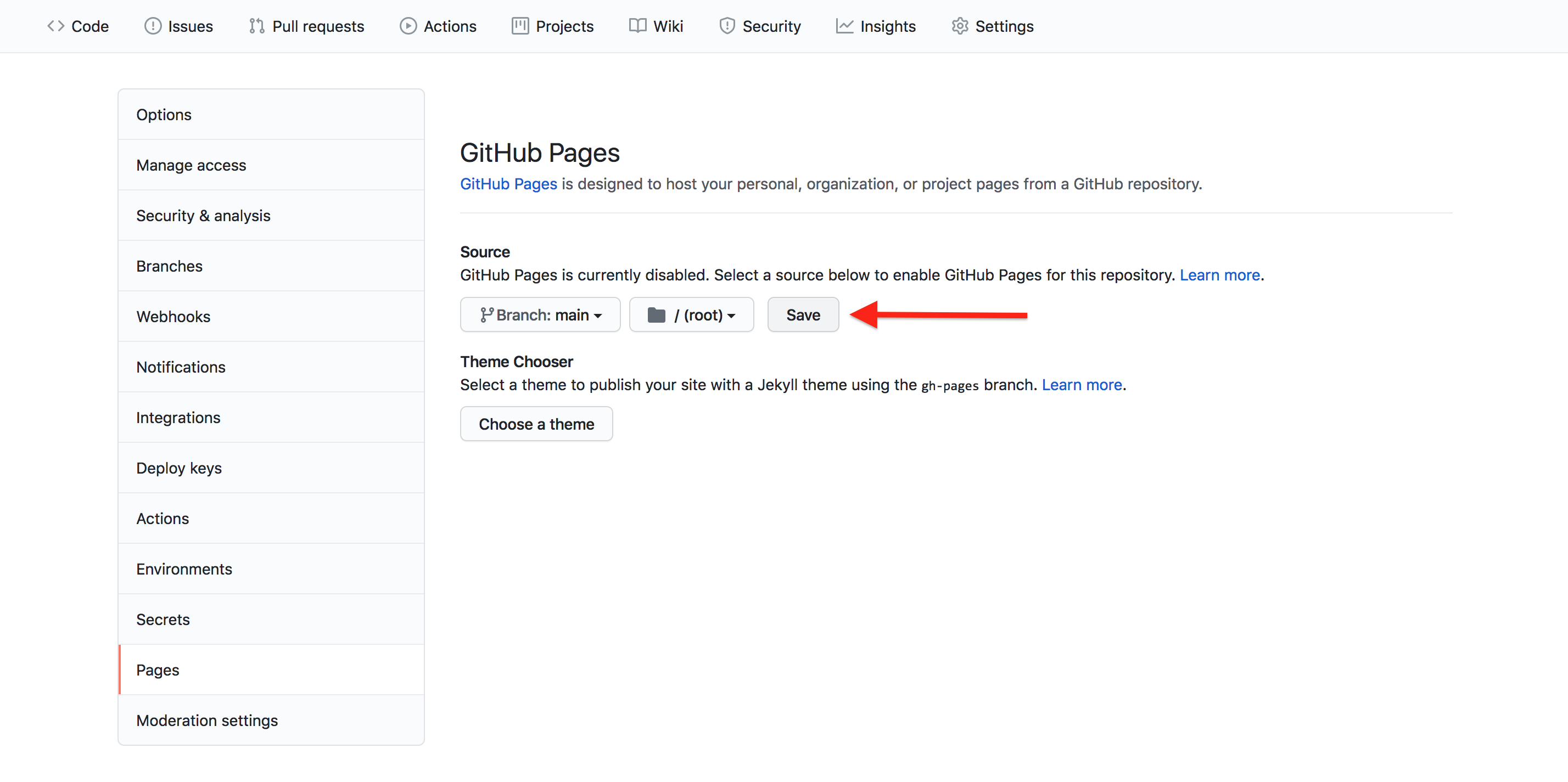
Image 1 of 1: ‘GitHub Pages source branch save’
Figure 4
Image 1 of 1: ‘GitHub fork button’
Figure 5
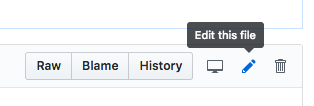
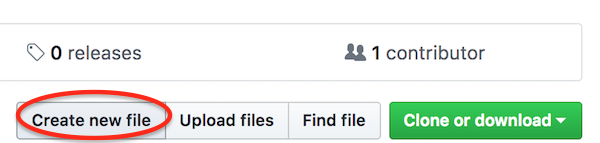
Image 1 of 1: ‘GitHub edit pencil’
Figure 6
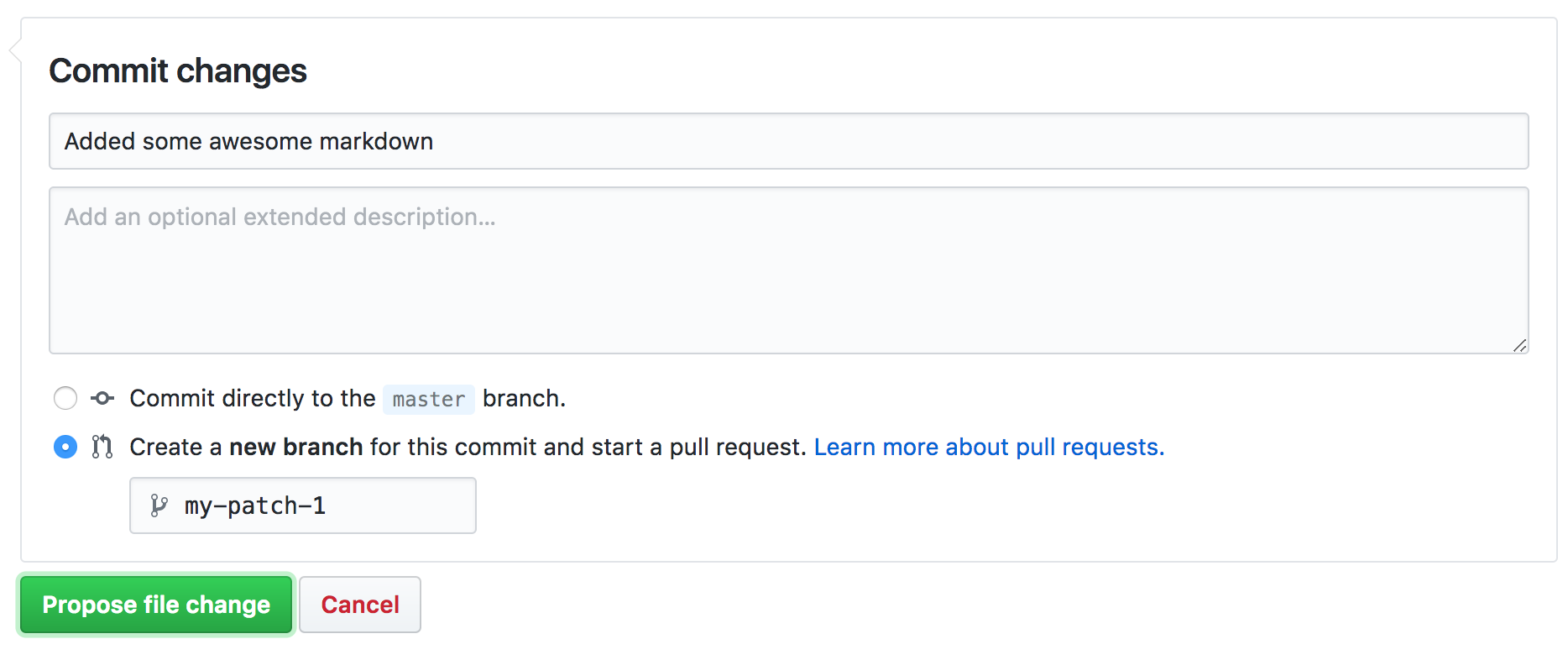
Image 1 of 1: ‘Commit and create pull request’
Figure 7
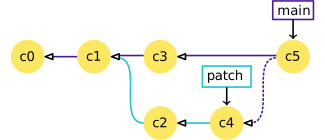
Image 1 of 1: ‘The label ‘main’ points to commit c5; arrows point from c5 to c3 to c1 to c0. The label ‘patch’ points to commit c4; arrows point from c4 to c2 to c1. A dotted arrow points from c5 to c4.’
Figure 8
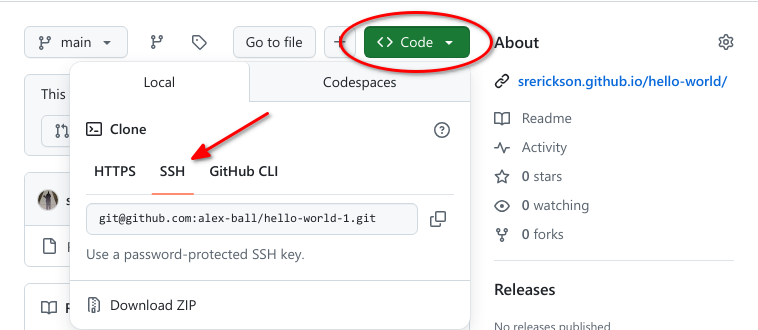
Image 1 of 1: ‘GitHub code button and clone method selection’
Figure 9
Image 1 of 1: ‘GitHub compare and pull request button’